Thursday, June 30, 2016

PERINGATAN KALAU GUNA cordova-plugin-crosswalk-webview

PERINGATAN KALAU GUNA cordova-plugin-crosswalk-webview


1) Mesti guna cordova-plugin-crosswalk-webview 1.3.1 "Crosswalk WebView Engine". Versi lain ada banyak masalah pada phone X86.
-------------------------------------------------------------------
COMMAND : cordova plugin add cordova-plugin-crosswalk-webview@1.3.1
-------------------------------------------------------------------


2) Guna cordova 4.1.1 pun dah ok. Kalau nak guna versi latest, upgrade apps :
-------------------------------------------------------------------
COMMAND : cordova platform update android
-------------------------------------------------------------------

Kalau nak guna versi lama :
-------------------------------------------------------------------
COMMAND : cordova platform update android@4.1.1
-------------------------------------------------------------------


3) Kalau dah guna cordova versi terbaru, & ada masalah nak compile sebab guna class API bawah 23, refer ini:

-------------------------------------------------------------------
http://stackoverflow.com/questions/31433687/android-gradle-apache-httpclient-does-not-exist
-------------------------------------------------------------------

if you are using target sdk as 23 add below code in your build.gradle

android{
    compileSdkVersion 23
    buildToolsVersion '23.0.1'
    useLibrary  'org.apache.http.legacy'
}
and change your buildscript to

classpath 'com.android.tools.build:gradle:1.3.0'


Saturday, May 21, 2016

Building combined armv7/x86 apk after Crosswalk integration in an Ionic project

http://stackoverflow.com/questions/32535551/building-combined-armv7-x86-apk-after-crosswalk-integration-in-an-ionic-project


----------------------


14
down vote
favorite
6
I have added Crosswalk to my ionic project. When i do ionic build android it outputs two separate APK files, one for armv7 and one for x86.

However i want one single apk file bundling two architectures together.

I tried setting BUILD_MULTIPLE_APKS = false but it's still building two separate apks.

There is a post here saying :

Took me a minute but you can get the single build file by commenting out the cdvBuildMultipleApks=true line in the platforms/android/gradle.properties

Cheers
But i don't have any gradle.properties file in my platforms/android/ folder, i have a project.properties file and there is no cdvBuildMultipleApks=true line in it to comment out.

I tried to manually create a gradle.properties file and putting cdvBuildMultipleApks=false in there but still two outputs.

Any ideas how to achieve this?

Update:

My Cordova version is 5.1.1

Solution:

What did work for me as suggested by @mudasserajaz and here, was to :

Create a file named build-extras.gradle inside my /platform/android/ directory.
put ext.cdvBuildMultipleApks=false inside it.
ionic build android --release then and Voila, it worked.
@mudasserajaz suggested the same thing except variable name is cdvBuildMultipleApks=false so in case it didn't work out for you, don't forget the ext

Wednesday, May 11, 2016

Securing a Cordova Hybrid Mobile App

REF : http://developer.telerik.com/featured/securing-phonegapcordova-hybrid-mobile-app/

Saturday, March 26, 2016

QRCode : Cordova + PHP


1) http://phpqrcode.sourceforge.net
Ni rujukan utk generate image QRCOde mengggunakan PHP.


2) http://www.c-sharpcorner.com/UploadFile/75a48f/generate-a-qr-code-using-cordova/
Ni rujukan nak generate imej QRCode guna plugin cordova di mobile device.


3) http://www.sitepoint.com/scanning-qr-code-cordova/ 
Cara utk call scanner dan baca imej QRCode menggunakan plugin cordova di mobile device.


Tambah plugin :


cordova plugin add phonegap-plugin-barcodescanner
Javascript:
function scan()
{
    cordova.plugins.barcodeScanner.scan(
        function (result) {
            if(!result.cancelled)
            {
                if(result.format == "QR_CODE")
                {
                    alert (result.text);
                }
            }
        },
        function (error) {
            alert("Scanning failed: " + error);
        }
   );
}
Boleh  guna konsep ni utk authenticate/pairing macam web whatsapp atau lain-lain keperluan. :)


Friday, March 25, 2016

App rejected because of “Missing Push Notification Entitlement”

Problem :
Recently my application got rejected while uploading it. The Apple review team says my app is "Missing Push Notification Entitlements"
This is the information they have provided: 
Missing Push Notification Entitlement - Your app registers with the Apple Push Notification Service, but the application signature's entitlements do not include the required "aps-environment" entitlement. Make sure you have enabled Push Notification Services for this app, and that you have downloaded a Distribution provisioning profile that includes the "aps-environment" entitlement.


Solutions :
If you are submitting a Cordova / Phonegap project and you are NOT using push notifications, you should inspect Classes/AppDelegate.m for the two methods below. Observed in Cordova 3.7.0, not sure about other versions.
Make sure you are not using remote notifications in any other way (carefully check your plugins as well). Then remove or comment out the following block:

- (void) application:(UIApplication*)application
    didRegisterForRemoteNotificationsWithDeviceToken:(NSData*)deviceToken
{
    // re-post ( broadcast )
    NSString* token = [[[[deviceToken description]
        stringByReplacingOccurrencesOfString:@"<" withString:@""]
        stringByReplacingOccurrencesOfString:@">" withString:@""]
        stringByReplacingOccurrencesOfString:@" " withString:@""];

    [[NSNotificationCenter defaultCenter] postNotificationName:CDVRemoteNotification object:token];
}

- (void) application:(UIApplication*)application
    didFailToRegisterForRemoteNotificationsWithError:(NSError*)error
{
    // re-post ( broadcast )
    [[NSNotificationCenter defaultCenter] postNotificationName:CDVRemoteNotificationError object:error];
}
Hope this saves you a few hours ;-)


Reference : 
http://stackoverflow.com/questions/5719182/app-rejected-because-of-missing-push-notification-entitlement

Thursday, March 24, 2016

Missing required icon file (IOS)

Missing required icon file. The bundle does not contain an app icon for iPhone / iPod Touch of exactly '57x57' pixels


Problem:
=======
I was trying to update my app in Appstore and I have started to receive this failure message. I checked over the internet for any solution, but none of them work. I have not changed my icons so this failure should not appear at all. 
I have checked the plist file, but always the same issue. The bundle is theoretically missing two icons 57x57 and 72x72 sizes.
Renamed icons and setup the whole icons package in the project, still the same issue

Solutions:
========
I ran into this same problem using xCode 5 - all the icons are there and appear correctly on the corresponding devices, but the validation fails. After some experimentation, I found that the following steps will resolve the common causes:

1) Ensure the correct filenames are used

The legacy icons need to follow a specific naming scheme (for apps supporting iOS 6.x and lower):

 57 x  57 --> Icon.png        (iPhone)
114 x 114 --> Icon@2x.png     (iPhone Retina)
 72 x  72 --> Icon-72.png     (iPad)
144 x 144 --> Icon-72@2x.png  (iPad Retina)
Note that iPad icons are called Icon-72. Icon~iPad, which worked in the past, doesn’t work any more (at least, not for me - it generates the same error that you reported).

The naming scheme for icons needed in iOS 7 and later is:

120 x 120 --> Icon-60@2x.png  (iPhone Retina)
 76 x  76 --> Icon-76.png     (iPad)
152 x 152 --> Icon-76@2x.png  (iPad Retina)
The easiest way to update the names is to click on them in the file browser in xCode and rename them directly there.

Source of filenames: https://developer.apple.com/library/ios/qa/qa1686/_index.html

2) Check that the Project file has detected all the icons

Click on your project file in xCode, and make sure the App Icons section has picked up each of the files. If not, manually select them. If you cannot select the icon file, it’s likely that the dimensions aren’t correct. You can check this by selecting the file in Finder, and pressing CMD-I to Get Information, and look at the dimensions under More Information.

3) Make sure that the plist has the right info

Click on your ProjectName-Info.plist file, and check the array underCFBundleIcons~ipad/CFBundlePrimaryIcon/CFBundleIconFiles. It should contain 4 entries: Icon-72, Icon-72@2x, and the names of your iOS7 icons. If there are any extra entries (e.g. for the old icon filenames), remove them by pressing the - button. If they stay there, validation will fail when it's unable to find the corresponding files.

Wednesday, June 25, 2014

How To Become Mobile Apps Developer


Tuesday, October 29, 2013

WebSocket - A Note For Myself

yum install make

yum install apt

yum install gcc

yum install gcc-c++


yum install git
git clone https://github.com/ry/node.git && cd node
./configure
make
make install

Node Package Manager (NPM)
=========================
curl https://npmjs.org/install.sh | sh


Express
=======
npm install -g express
express -V

Socket.IO
========
npm install -g socket.io

Sample application socket.io:
-----------------------------------------
git clone git://github.com/LearnBoost/Socket.IO-node.git socket.io-node --recursive && cd socket.io-node/example/
node server.js

socketio-file-upload
===============
npm install -g socketio-file-upload


Forever
======
npm install forever -g


WAMP.IO
========
npm install wamp.io -g 


WS
========
npm install ws -g 


Wednesday, October 16, 2013

Masalah eclipse tak kenal device selepas upgrade OS kepada 4.2.2

Masalah : 
Kalau anda 'ter' update OS Android kepada versi 4.2.2 (atau lebih), anda MUNGKIN akan hadapi satu masalah di bawah :


Eclipse anda tidak dapat 'detect' device anda.

Penyelesaiannya:

1) Download adb version 1.0.31 atau keatas di sini :
 http://ftp.mozilla.org/pub/mozilla.org/labs/r2d2b2g/

 2) Gantikan semua file-file yang di download ke dalam folder  android-sdk-windows\platform-tools\ anda.


3) Restart PC (jika perlu).


Setiap kali anda sambungkan USB Cable dari PC ke device, anda akan dapat prompt seperti di atas. Klik OK dan semua akan jadi OK. :)


Wednesday, February 1, 2012

UPM-SMP@Market (1/2/2012)


Sejak seminggu ni makin bertambah pulak bilangan user yang download UPM-SMP ni. Semalam aku buat satu lagi submodul, MYDownload Area untuk student download beberapa file PDF yang boleh mereka dapat dari dalam student portal SMP. Salah satunya ialah Course Registration Slip. Minggu depan aku update kat market. 


//

Sunday, January 29, 2012

Hobi Baru

Entah macam mana aku terjebak pulak dengan hobi baru ni.
Ni sebab pengaruh kawan-kawan la ni.. hihihi. Tapi apa2 pun, aku enjoy jugak bila dapat belajar benda-benda baru ni.. Walaupun hobi sebelum ni ialah DSLR, hobi tu tetap ON, cuma dah kurang sikit aktiviti mengambil gambar2 pakai DSLR ni. Sejak kebelakangan ni, aku selalu ambik gambar pakai SGS2 sahaja. Ambik gambar terus upload ke facebook. Habis cerita. No edit2 dah.. kecuali jika ada event2 penting macam event company, pergi bercuti atau majlis kahwin saudara mara, then baru lah pakai DSLR.

Setelah beberapa kali pergi driving range dengan Ujang, Matsom, Fadhil, Shah & Oteng; (asyik pakai kayu orang jee..) akhirnya aku pun terbeli satu set yang terdiri dari berbagai brand yang boleh dikatakan complete jugak la.. (macam pro je.. tapi pukul pun tak betul lagi.. hihik)

-          Iron Titleist 775.cb
-          Driver Taylor Made r7 460
-          Wood 5 & Hybrid 5 Wilson Staff
-          Wedge Daiwa & Srixon
-          Putter Ping
-          Beg Cobra

Lokasi yang selalu kami prektis ialah kat UKM Danau Golf & Cyberjaya. Lain kali nak try pergi UPM & IOI pulak. Kalau dah pandai pukul nanti, boleh la try masuk green pulak…(entah bila.. hikhik)

UPM-SMP@Market


Ni statistik bilangan orang download application UPM-SMP untuk Android yang aku buat dulu.. hikhikhik. Tengah pikir-pikir modul apa lagi yang nak aku tambahkan nanti.. Course registration? Isk.. tak berapa berani pulak. Terlalu kompleks & terlalu risky sikit. Sebab banyak polisi-polisi yang perlu di periksa sebelum setiap pelajar tu boleh mendaftar sesuatu kursus. Buat masa ni, biarlah urusan tu pelajar buat di SMP web dahulu ye.

Friday, October 21, 2011

SGS II

Dah 2 minggu aku tidur lambat, 2-3 pagi baru tidur. Ni gara-gara ter-excited dengan toy baru & pelajaran baru.


Sebenarnya wife yang nak tukar hp lain, lepas beli dia dengan baik hatinya bagi aku try dulu, try punya try last-last haa.. jadi aku punya terus lah. Jadi dia kena beli yang lain lah. hiihihi.


Selamat tinggal Norkiah X6 & Norkiah E90. Akan terus disimpan buat kenangan.


Tapi tak puas hati jugak, apasal wife punya ada tulis 1.2GHz kat kotak? Beza beli beberapa hari je.. Demnn.


Mula-mula pakai memang buat sakit hati sebab aku ni tak reti nak pakai touch screen. SMS lambat & selalu salah taip, esp. masa driving lagi la payah. Tapi aku gagah jugak la mencuba biasakan semua tu gara2 excited nak belajar benda baru.. programming java for android!.


  Memang aku zero pasal android ni. Ni lah yang membuatkan aku tido 2-3 pagi. Tapi hasilnya.. start from day 1 lagi aku dah jumpa macam2 benda yang boleh dibuat dengan android ni membuatkan semakin hari semakin terhasillah program aku ni. Walaupun aku tau program yang aku buat ni tak la canggih mana pun sampai boleh letak kat MARKET dan charged USD1-2, tapi rasa puas tu memang ada lah sebab hasil kerja sendiri dan explore sendiri. Program yang aku buat ni pun tak lari pun dari projek aku sekarang... Maybe nanti kalau dah ready, aku publish la. Antara screen shot apps aku ni:


Sebenarnya ni sepupu aku, baru je konvo UPM minggu ni. Utk data testing, aku pakai id dia kira ok la tuu..
Banyak lagi features2 yang ada dalam fikiran aku ni.. nanti explore lagi.

Saturday, September 24, 2011

Aktiviti Najmi Hari Ini

Monday, September 5, 2011

3 Syawal


Wednesday, August 31, 2011

1 Syawal


Monday, August 29, 2011

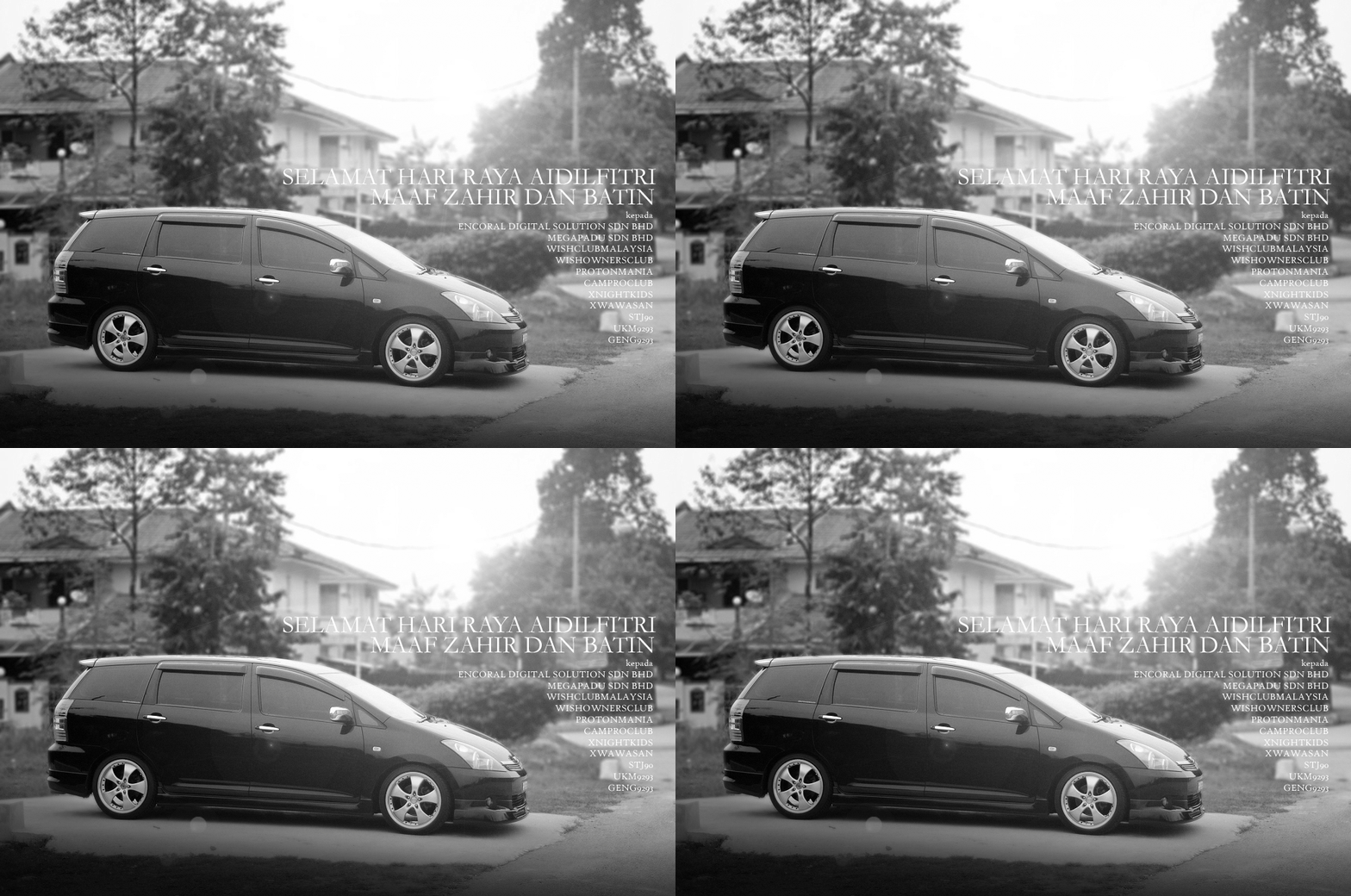
Selamat Hari Raya Aidilfitri 2011


Monday, August 15, 2011

Dugaan Ramadhan, Cat Raya - 08/08/2011 10:30PM

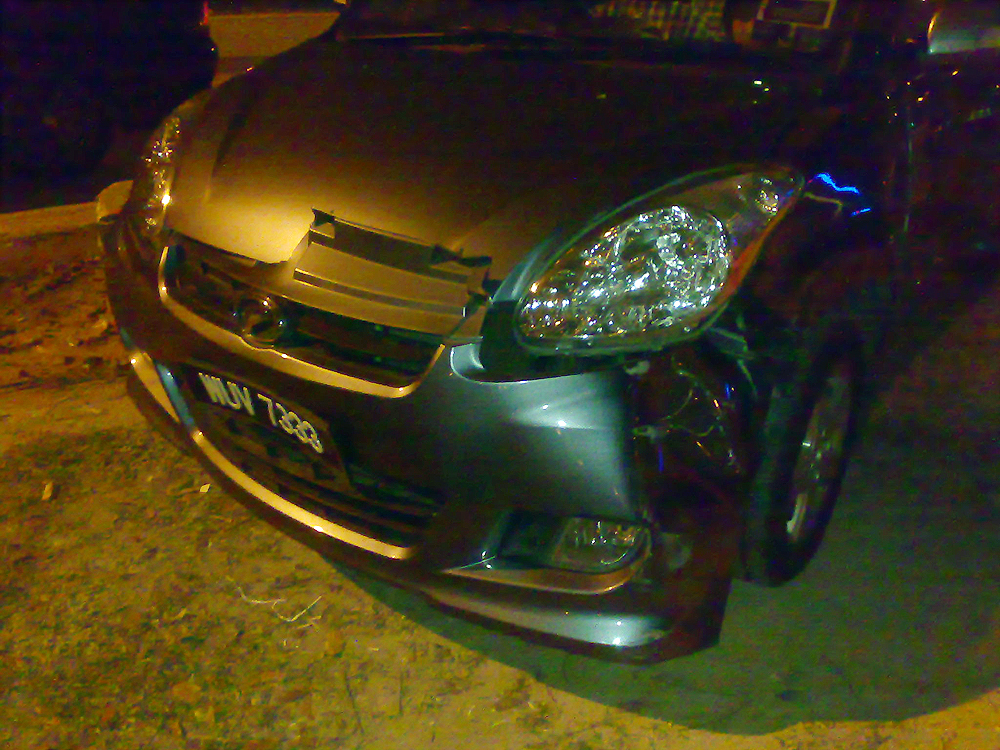
Sewaktu pulang dari berbuka puasa di Laman Gril, Shah Alam, kami singgah di Bravos. On t he way balik, seekor MyVi keluar simpang PU4 tak tengok kiri kanan kot, terus hentam pintu driver aku. adui!
 

Kemek & bercalar sepanjang body dari fender hingga belakang.


Si MyVi nak claim insurans dia, jadi kami pun buat report kat Balai Polis Subang Jaya. Kereta masuk bengkel @ Serdang keesokkan hari.


Day 1 @ Workshop


Day 2 @ Workshop


Day 3 @ Workshop 
Alang-alang cat bumper & bonet sekali lah.

Day 4 @ Workshop 
Alang-alang lagi, cat belah kiri sekali lah/.


Finally : Day 6

Hampir siap! tinggal nak pasang grill & side mirror & basuh je.
Aku belum raya lagi, kereta ni dah beraya dulu..

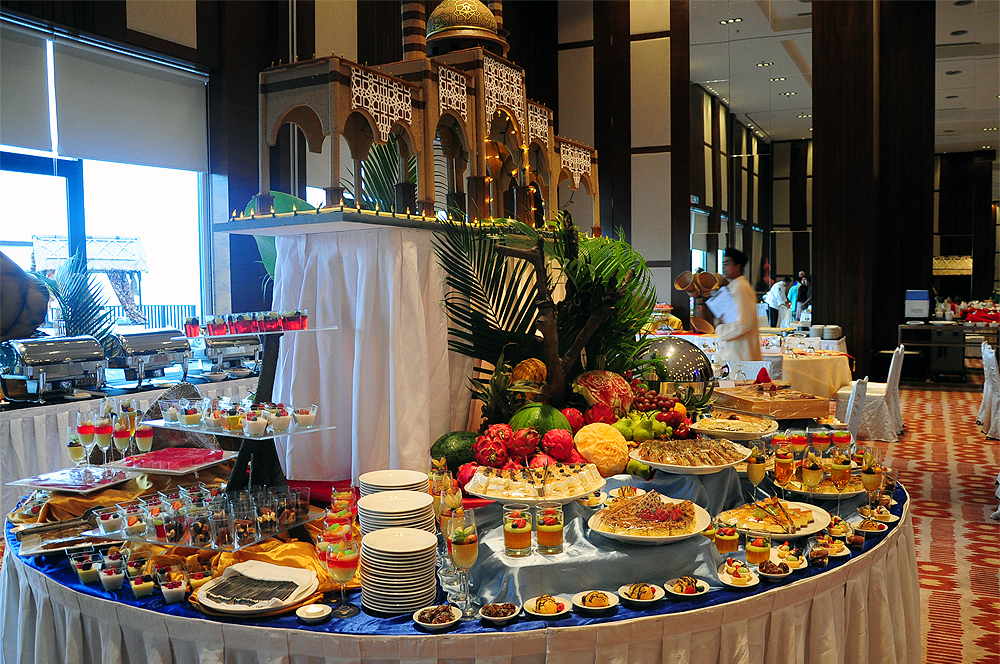
Buka Puasa @ Golden Palm Tree, Sepang


 | 

MyGear

MyBlogList I

MyBlogList II

MyBlogList III

MyFollowers

MyWishList

  • http://www.bloggerplugins.org
  • CPL/ND8 ---> DONE
  • Tokina 11-16mm ---> DONE
  • LEP4 ---> DONE!
  • ASBMX ---> IN PROGRESS
  • Bali
  • D700
  • Nikkor 70-200f2.8
  • C200

About This Blog

MyFacebookPhotos


  © Blogger template 'Photoblog' by Ourblogtemplates.com 2008

Back to TOP